1. Viewing Results
Postgraduate applicants at the College of Pharmacy for the academic year 2024-2025 can view the competitive examination results via the following official link:
2. Submitting Objections
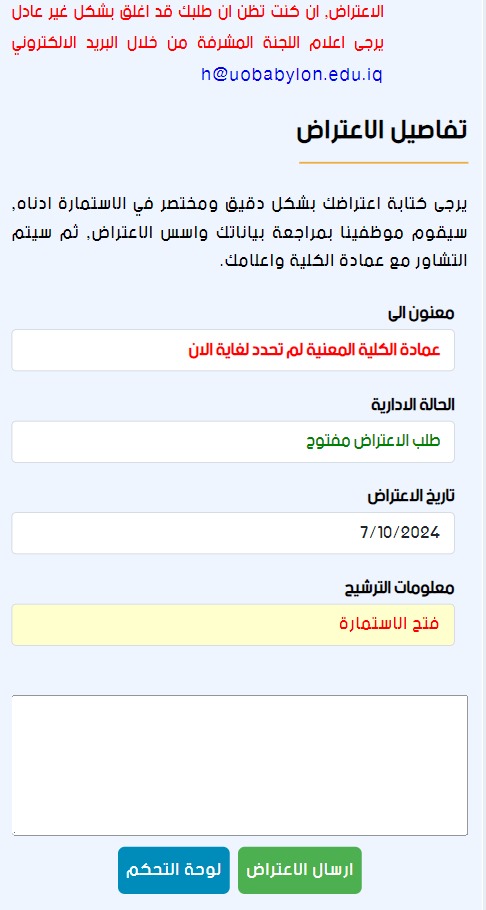
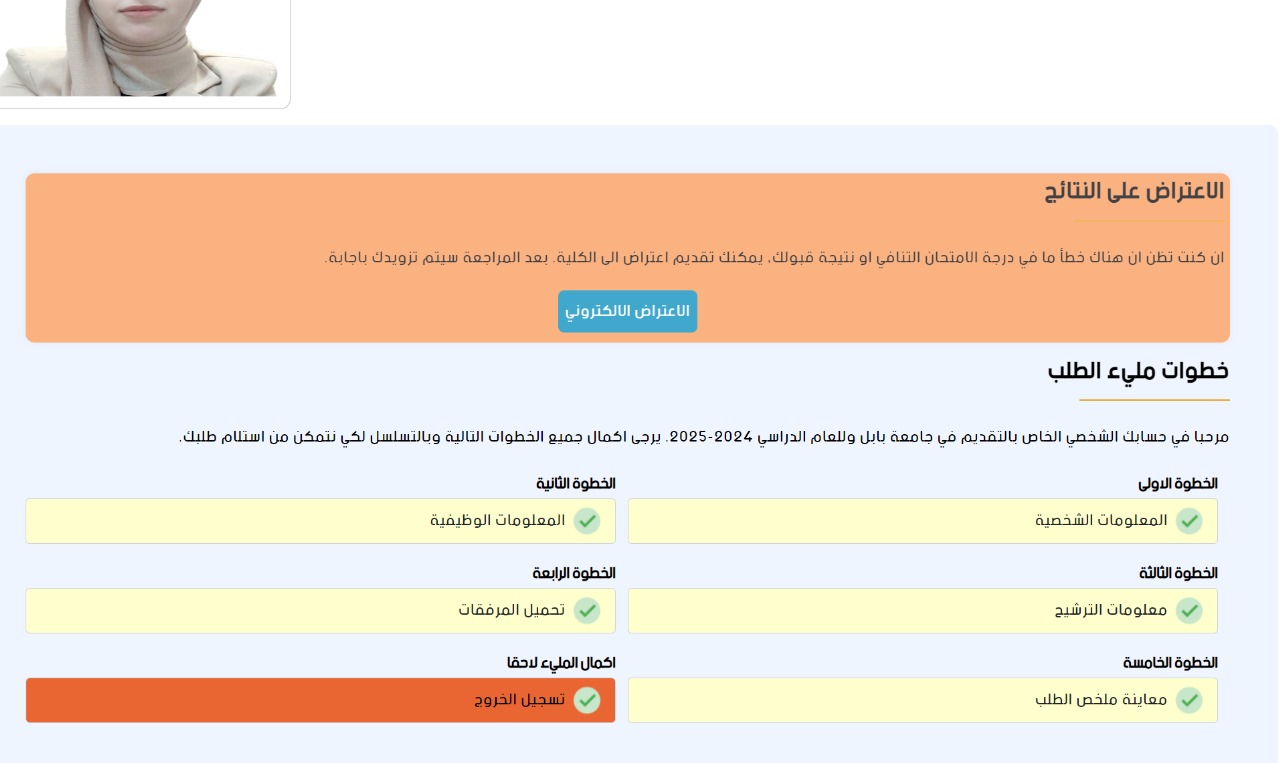
Applicants wishing to submit an objection regarding the competitive examination grade or admission results (at initial announcement) can follow these steps:
- Log in to your personal account in the electronic system using your account Information.
- Click on the "Submit Objection" (تقديم اعتراض) button in the main interface.
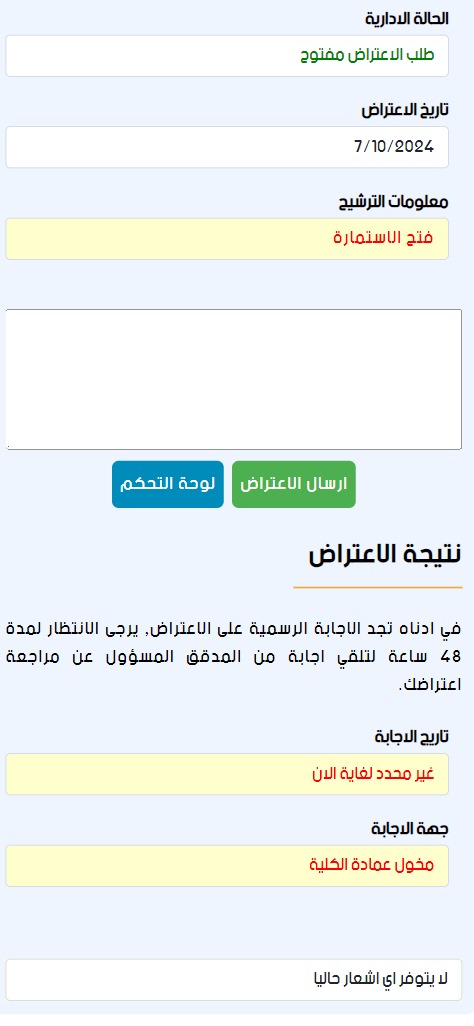
- Wait for a notification regarding the response to your objection from the College Deanship via the same system.
Forgotten Account Details?
In case of forgetting your username or password, you can click on the "Recover Account Information" option on the login panel, or use the dedicated link:
Visual Guide for Objection Procedures
Login and Objection interface in the applicant's account:
Where the objection result message will appear:

.jpeg)